Artelier AR
A WebXR furniture previewer that lets you place true-scale 3D pieces in your room — built in ~2 hours at Cafe Cursor hackathon.
Team Members:
Project Overview
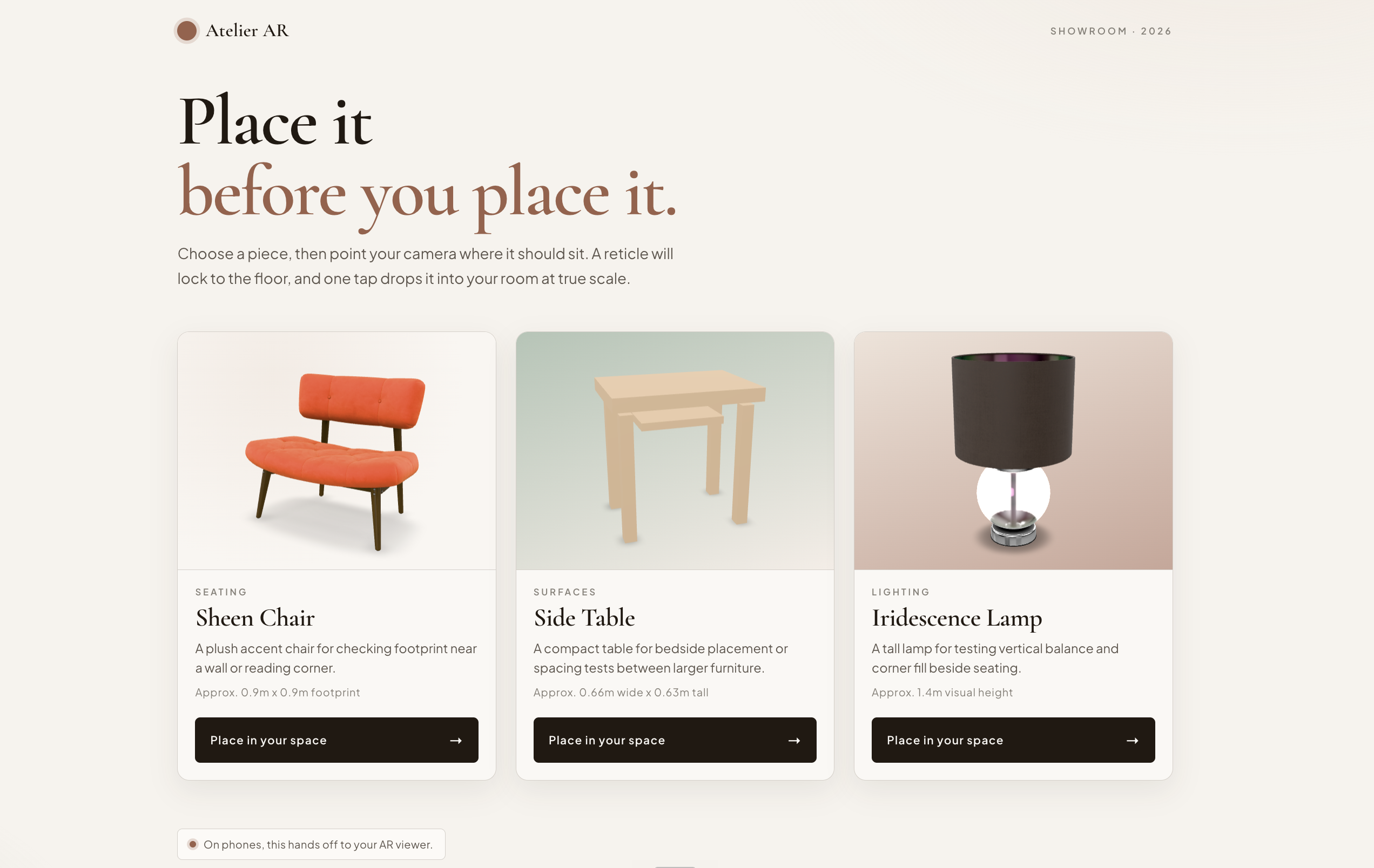
Artelier AR is a WebXR-powered room planner built in roughly 2 hours at the Cafe Cursor hackathon — with complete strangers. Choose a furniture piece, point your camera at the floor, and drop it into your space at true scale. On Android Chrome it uses native WebXR hit-test for real-time floor detection; on iOS it falls back to Quick Look AR; desktop gets a full 3D orbit preview. The team won 1st place.
Key Features
- WebXR immersive AR with floor hit-test detection on Android Chrome
- iOS Quick Look AR fallback for iPhone and iPad
- Scene Viewer fallback for non-WebXR Android browsers
- Real-scale 3D furniture placement with tap-to-drop interaction
- Reticle ring targeting for precise floor-locked placement
- 3D catalog with orbit controls and model-viewer inspection per item
Challenges & Solutions
- Building a complete WebXR hit-test pipeline in ~2 hours with strangers under hackathon pressure
- Cross-platform AR support across three distinct modes: WebXR (Android Chrome), Quick Look (iOS), and Scene Viewer (Android fallback)
- Integrating Three.js renderer with WebXR session lifecycle management and graceful degradation logic
- WebXR requires HTTPS — forced secure deployment configuration from the very start of the build
System Architecture
Architecture Overview
Artelier AR is a WebXR-first React application that lets users preview furniture at true scale in their physical space. The architecture is split into two main screens — a catalog and an AR placement view — with a smart routing layer that selects between a native WebXR experience (Android Chrome) and a graceful fallback (iOS Quick Look / Scene Viewer / desktop 3D preview).
Component Hierarchy
App
├─ CatalogScreen
│  └─ model-viewer × 5    (orbit preview per item)
└─ ArScreen               (smart router)
   ├─ ArSession            (WebXR + Three.js — Android Chrome)
   │  ├─ WebGL canvas
   │  ├─ Reticle (ring + dot)
   │  └─ PlacedGroup (loaded GLTF model)
   └─ ArFallback           (model-viewer AR handoff)
      └─ model-viewer      (Quick Look / Scene Viewer / 3D preview)
App owns two state values — screen ('catalog' | 'ar') and selected (CatalogItem | null) — and passes onSelect / onExit callbacks down the tree. No external state management library is used.
Data Flow
User taps "Place in your space"
  → onSelect(item) fires
  → App: screen='ar', selected=item
  → ArScreen renders; checks WebXR support
    ├─ supported  → ArSession(item)    [immersive WebXR]
    └─ unsupported → ArFallback(item)  [model-viewer handoff]
  → User exits AR
  → onExit() fires
  → App: screen='catalog', selected=null
Props flow strictly downward; callbacks flow upward. State lives at the App root.
WebXR Pipeline (ArSession)
ArSession runs a full immersive-AR session using Three.js for rendering and the WebXR Hit Test API for floor detection.
Session Initialization
| Step | API |
|---|---|
| Check support | navigator.xr.isSessionSupported('immersive-ar') |
| Request session | navigator.xr.requestSession('immersive-ar', { requiredFeatures: ['hit-test', 'local-floor'] }) |
| Set reference space | renderer.xr.setReferenceSpaceType('local-floor') |
| Request hit-test source | session.requestHitTestSource({ space: viewerSpace }) |
Using local-floor as the reference space means hit-test results map directly to the physical floor — no manual plane detection needed.
Per-Frame Loop
XRFrame received
  ↓
frame.getHitTestResults(hitTestSource)
  ↓
results[0].getPose(localFloorRefSpace)
  ↓
reticle.matrix = pose.transform.matrix   → floor-locked targeting ring visible
  ↓
User taps screen ('select' event)
  ↓
placedGroup.matrix = lastHitMatrix       → model drops into scene
  ↓
Phase transitions: scanning → locked → placed
Phase State Machine
starting → scanning → locked → placed
                ↑        |
                └────────┘  (user re-positions)
Each phase drives the UI overlay: which buttons are visible, what hint text shows, and whether the reticle is interactive.
Three.js Scene
Scene
├─ HemisphereLight   (sky: #fff, ground: #bcb6a8, intensity: 1.0)
├─ DirectionalLight  (position: 0.5, 1.5, 0.5 — simulates sunlight)
├─ Reticle (Group, matrixAutoUpdate: false)
│  ├─ RingGeometry (r 0.08–0.10m, 48 segments, rotated -90° to lie flat)
│  └─ CircleGeometry (r 0.012m, 24 segments)
└─ PlacedGroup (Group, matrixAutoUpdate: false)
   └─ GLTF model scene (scaled by item.realScale)
Renderer settings: alpha: true (transparent canvas), ACES filmic tone mapping, sRGB output color space, XR-enabled.
Platform Fallback Strategy
| Platform | Browser | Path | Experience |
|---|---|---|---|
| Android | Chrome 117+ | ArSession | Full immersive AR (WebXR hit-test) |
| Android | Chrome < 117 | ArFallback | Google Scene Viewer handoff |
| iOS | Safari / Chrome | ArFallback | Apple Quick Look handoff |
| Desktop | Any | ArFallback (desktop mode) | 3D orbit preview only |
useWebXRSupport is a custom hook that calls navigator.xr.isSessionSupported('immersive-ar') once asynchronously and returns 'checking' | 'supported' | 'unsupported'. ArScreen reads this value to decide which branch to render.
model-viewer AR modes order (ArFallback): webxr scene-viewer quick-look — the browser picks the first supported mode automatically.
Catalog Data Model
Each of the 5 items is a CatalogItem object:
type CatalogItem = {
  id: string            // e.g. 'chair'
  name: string          // Display name
  category: string      // e.g. 'Seating'
  description: string
  glbSrc: string        // Path to local .glb model
  scale: string         // model-viewer CSS scale (catalog preview)
  realScale: number     // Three.js multiplier (AR scene — 1 unit = 1m)
  cameraOrbit: string   // e.g. '32deg 76deg auto'
  dimensionsLabel: string
  accent: string        // CSS gradient for card background
}
scale and realScale are intentionally separate: the catalog preview can be framed for aesthetics, while AR placement must be physically accurate. For example, the boombox uses realScale: 4 to compensate for an under-sized source model.
Build & Toolchain
| Tool | Role |
|---|---|
| Vite 8 | Dev server + production bundler |
| React 19 + TypeScript | UI layer |
| Three.js r182 | WebXR renderer, geometry, materials |
| @google/model-viewer 4 | Catalog 3D preview + AR fallback |
| GLTFLoader | Async .glb model loading |
| ESLint | Static analysis |
Models are bundled locally in public/models/ (5 × .glb, ~27MB total, all CC-licensed Khronos glTF sample assets). No CDN or external model server required.