Arbitrum Dev Help
A developer dashboard that simplifies smart contract development and deployment on the Arbitrum chain.
Project Overview
This platform tackles the complexity of dApp development on Arbitrum by offering a unified dashboard that covers the full lifecycle from writing to deployment. It helps reduce the friction in getting started with Arbitrum by combining multiple utilities into a cohesive tool.
Key Features
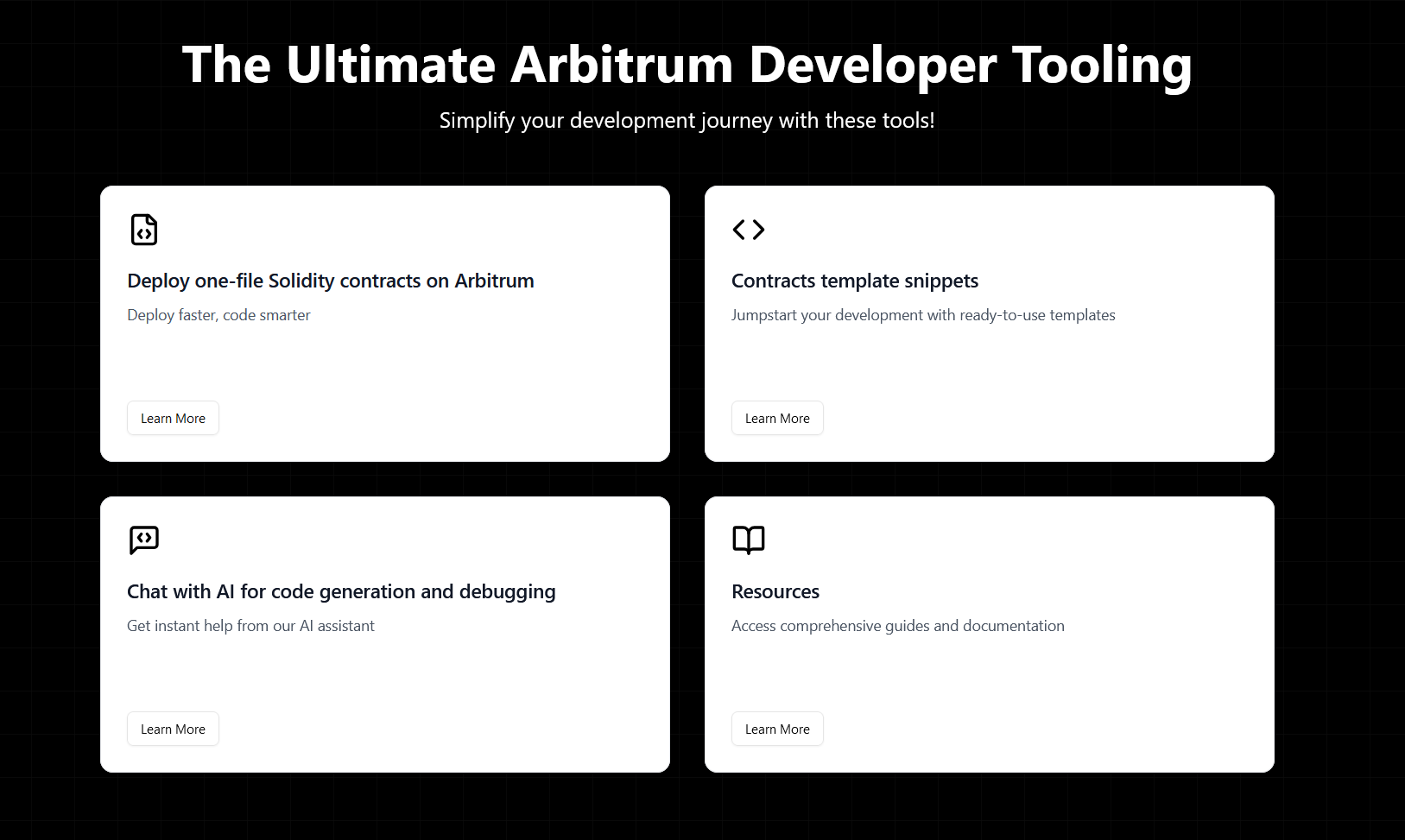
- One-click smart contract deployment
- Customizable smart contract templates
- Integrated documentation and tutorials
- AI-powered chat support
- Developer resource hub with tools and community links
Challenges & Solutions
- Simplifying the deployment process for Layer 2 (Arbitrum)
- Creating a seamless developer experience
- Integrating smart contract compilation with file uploads
- Providing real-time support via AI chatbot
System Architecture
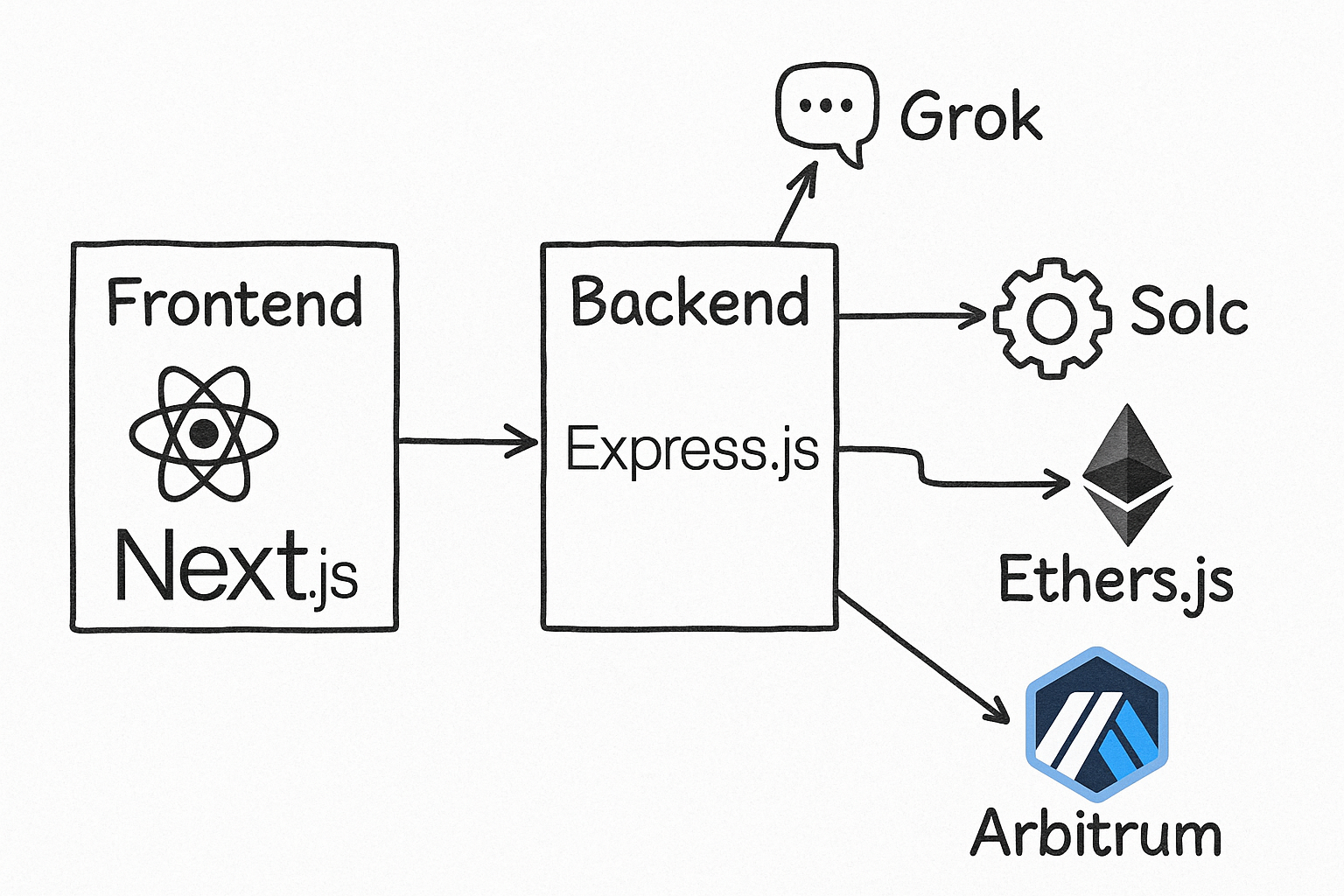
The Arbitrum dApp Dashboard is a full-stack application with separate front-end and back-end components, each responsible for distinct parts of the user experience and smart contract deployment lifecycle.
Front-end (React + Next.js)
The front-end is developed using Next.js with React. It offers a clean and intuitive UI for developers to interact with deployment tools, templates, and support systems.
Key Components:
- Dashboard – Central landing page and entry point to all tools
- SingleFileDeploy – Interface to upload and deploy individual Solidity contracts
- Templates – A library of pre-built contract templates to accelerate development
- Resources – Section for documentation, tutorials, and community tools
- Chat Interface – AI-powered support chat (integrated via Grok)
Back-end (Node.js + Express.js)
The back-end powers the core business logic and blockchain interactions.
Responsibilities:
- Smart Contract Compilation: Uses the solc compiler to compile Solidity code received from the client
- Smart Contract Deployment: Leverages the ethers.js library to deploy compiled contracts directly to the Arbitrum chain using RPC
- AI-Powered Chat Integration: Integrates with Grok to provide contextual help and suggestions through the front-end
- File Upload Handling: Uses Multer for secure and efficient file handling for contract uploads
- Validation & Security: Implements input sanitization and request validation for safe interaction
Blockchain Interaction Flow
The application streamlines contract deployment through the following flow:
- User uploads a Solidity file via the front-end
- The file is sent to the back-end where it is compiled with solc
- Upon successful compilation, the ethers.js library is used to deploy the contract on Arbitrum via an RPC endpoint
- Deployment status and results (contract address, transaction hash) are returned to the front-end
AI Chat Assistant
The Grok-powered chat assistant helps developers:
- Understand compiler or deployment errors
- Get template suggestions
- Explore Arbitrum deployment documentation interactively